OAuth 2.0 Explained: Roles, Tokens and the PKCE Flow
Blog / OAuth 2.0 Explained: Roles, Tokens and the PKCE Flow
What is OAuth 2.0? Why does it exist? And how does "Log in with Google" actually work?
The Password Sharing Problem
Imagine you use a new photo printing app. The app wants access to your Google Drive to find your pictures.In the old days, you had to give the app your Google password. This is a massive security risk.The app could then do whatever it wanted with your Google account. It could read your private emails, delete your files, or lock you out of your account.So how can we solve this? This is where OAuth 2.0 comes in.Delegated Access
Think of a company key card. Say a contractor is coming to fix something on the third floor of your office.You don't lend them your own key card. Instead, you ask reception to give them a visitor card. It only opens the third floor, it stops working at the end of the day, and it can be cancelled at any time.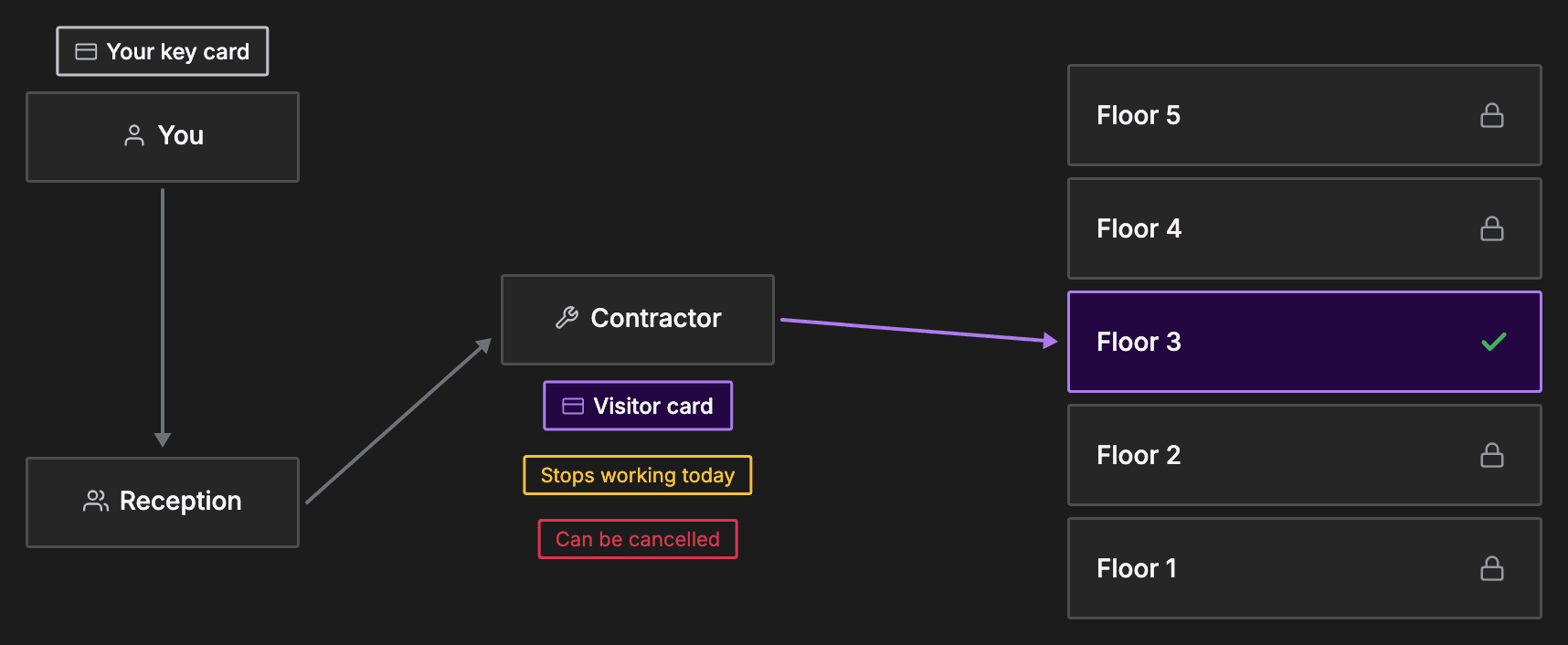
The Four RFC 6749 Roles
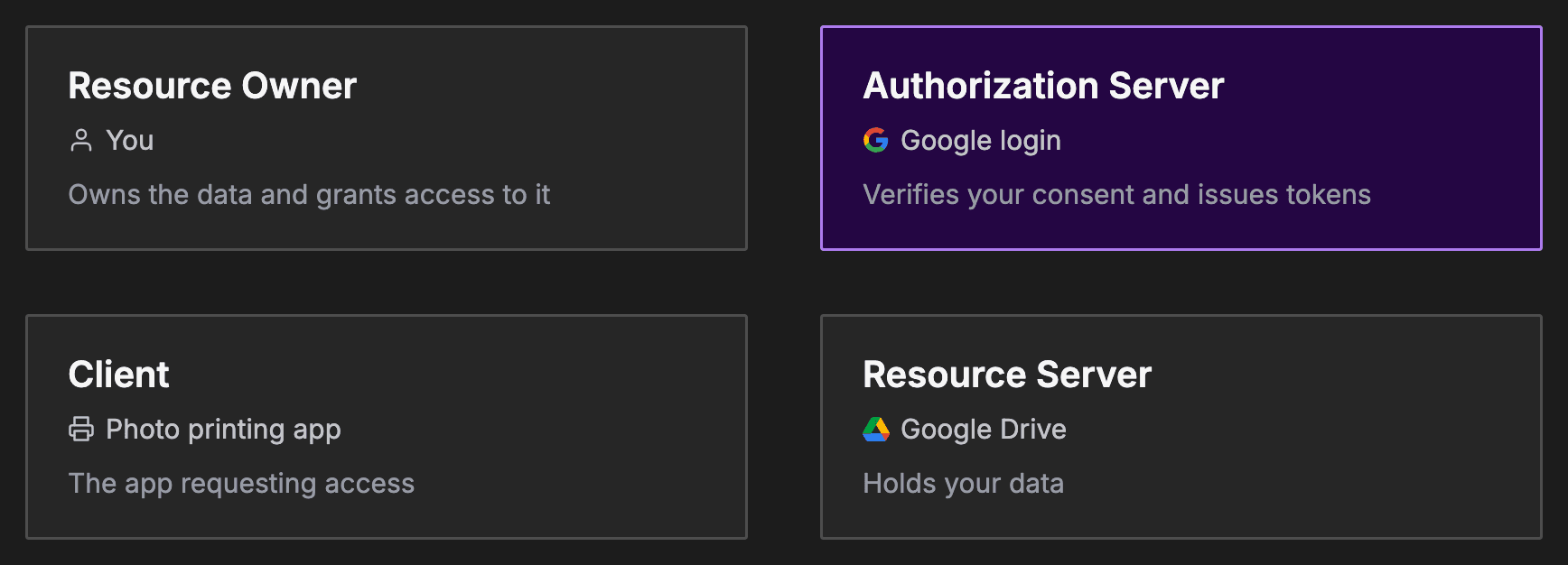
The OAuth 2.0 specification defines four distinct roles. A role is a job that someone or something does in the OAuth process.- Resource Owner: this is you. You own the data and grant access to it.
- Client: the application requesting access. In our example, this is the photo printing app.
- Resource Server: this holds your data. In our example, it is Google Drive.
- Authorization Server: this verifies your consent and issues tokens. In our example, it is the Google login system.
Tokens and Scopes
When the authorization server grants access, it issues an access token. This token acts as a temporary keycard.The client sends this token with every request to the resource server, the API holding your data.ScopesTokens are limited by scopes. A scope defines the exact permissions granted. One scope might allow reading photos, but strictly forbid deleting them.Refresh tokensMany setups also use a refresh token. Access tokens expire quickly for security reasons.The client uses the long-lived refresh token to get a new access token without asking you to log in again.Auth Code Flow with PKCE
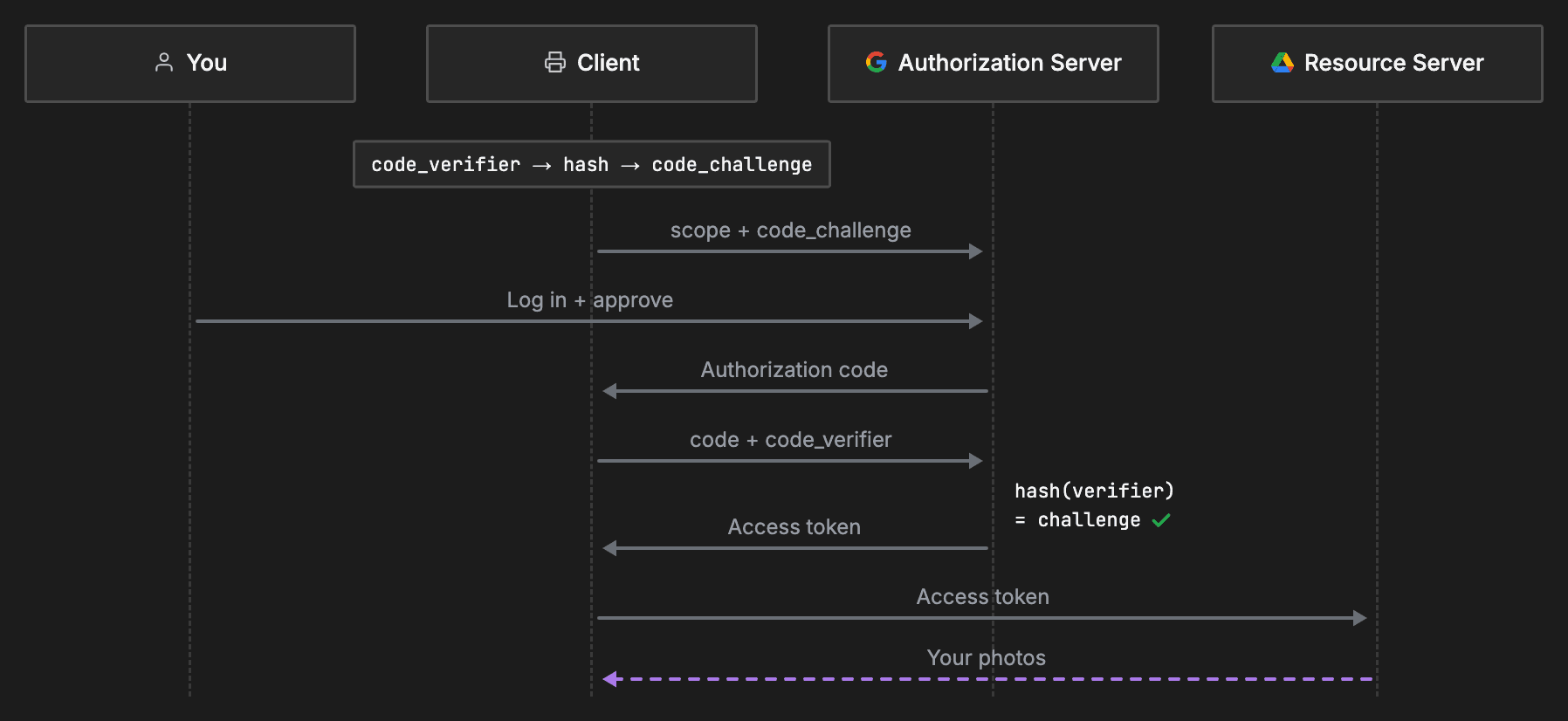
OAuth has several flows, but the Authorization Code Flow with PKCE is the modern standard.PKCE stands for Proof Key for Code Exchange. It secures the process against intercepted codes.- Step 1: the client generates a random string called a code_verifier. It hashes this string to create a code_challenge.
- Step 2: the client redirects you to the authorization server. It includes the specific scope it wants and the code challenge.
- Step 3: you log in directly with the authorization server and approve the request.
- Step 4: the authorization server sends the client a temporary authorization code. This code is useless on its own.
- Step 5: the client sends the auth code and the original code verifier back to the authorization server. The server hashes the verifier. If it matches the challenge from earlier, the server knows the client is legitimate.
- Step 6: the server replies with the access token.
- Step 7: the client uses this token to fetch your photos from the resource server.
Common OAuth Use Cases
OAuth is used everywhere. Common use cases include:- Connecting your personal calendar to a business scheduling app.
- Letting a mobile web game post your high score to a social network.
- Allowing a continuous integration server to deploy code from your private repository.
OAuth Advantages
OAuth brings major security benefits to modern applications:- Users never expose their raw passwords to third-party clients.
- Access tokens are granular and strictly scoped.
- Tokens can be easily revoked by the user from a central dashboard.
OAuth Disadvantages
However, OAuth does have some downsides:- It is highly complex and split across many specification documents.
- Misconfigurations are common and can lead to severe security flaws.
- It relies entirely on HTTPS for transport layer security.
Recap
| Term | Meaning | Example |
|---|---|---|
| Client | The app wanting access | Photo printing app |
| Resource Server | The API holding your data | Google Drive |
| Authorization Server | The system issuing tokens | Google login |
| Access Token | The temporary key for the API | Visitor card |
| Scope | The specific permissions granted | Read photos |
About TechPrep
Never walk into a technical interview unprepared again. TechPrep empowers software engineers to stop guessing and start getting offers. We provide the exact questions asked by tech companies across Data Structures & Algorithms, System Design, Low-Level Design & Practical coding rounds. Don't leave your career up to chance. Join thousands of engineers who have successfully navigated the tech hiring maze and landed roles at top tech companies.