Git Merge vs Rebase: What Is the Difference?
Blog / Git Merge vs Rebase: What Is the Difference?
What exactly is the difference between a Git merge and a Git rebase? And when should you use each one?
The Diverged Branches Problem
Imagine this common scenario:- You branch off the main branch to build a new feature.
- You make progress and create new commits.
- Meanwhile, the main branch gets new commits from other people.
How a Git Merge Works
A Git merge takes the two diverged branches and ties them together. It keeps every single commit from both branches exactly as they were.Then it adds one brand new commit called a merge commit.This new commit has two parent commits: the latest commit on main and the latest commit on your feature branch. Together they represent the exact moment the work joined back together.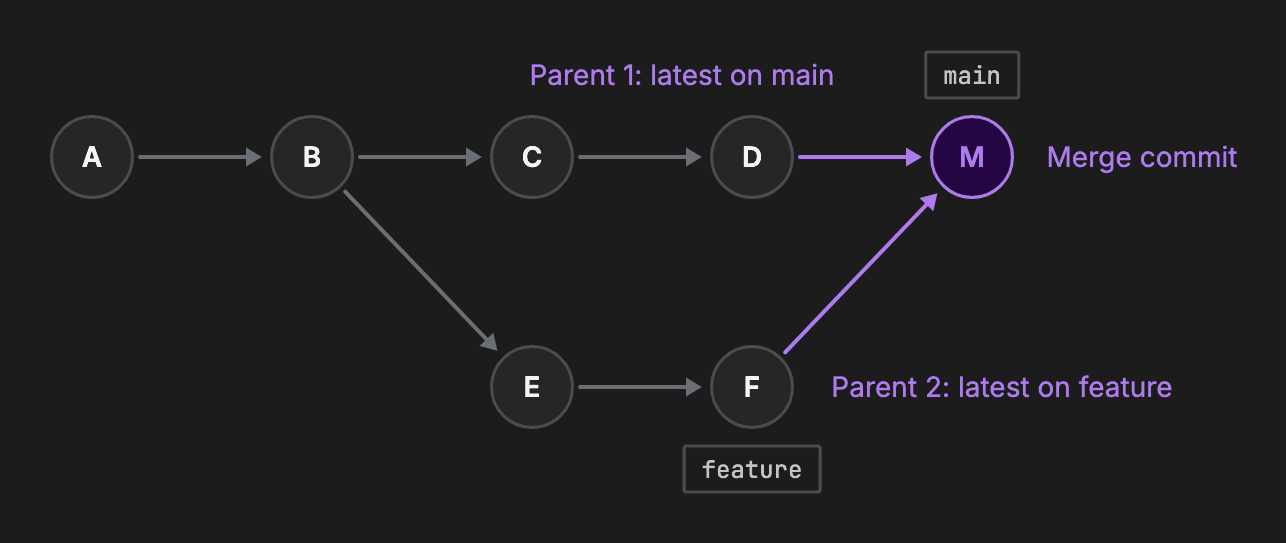
How a Git Rebase Works
A Git rebase literally changes the history of your repository.It lifts your feature commits off their original starting point. Then it replays them one by one on top of the latest main branch.Because these commits are applied in a new location, Git generates a completely new ID for each replayed commit.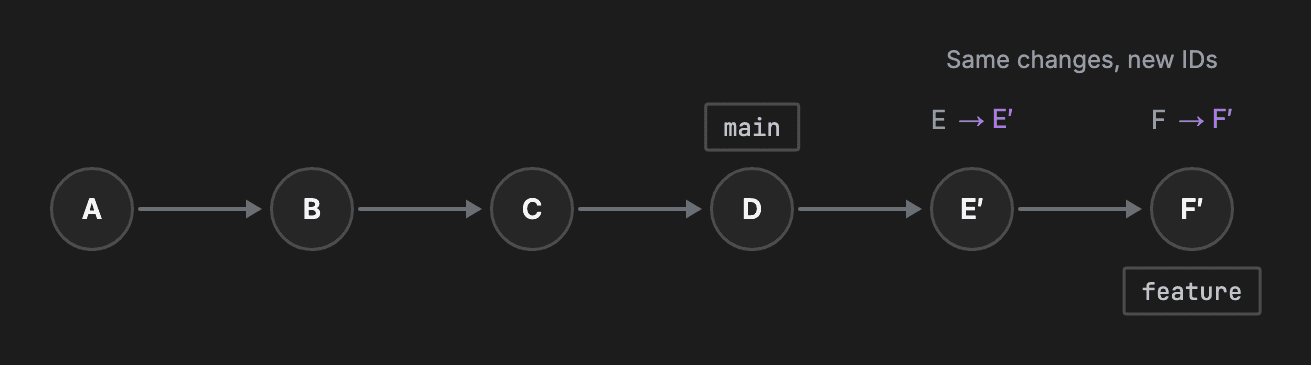
When to Use Merge
Since both git merge and git rebase bring branches together, you must choose carefully.You should use merge when you are bringing a finished feature into a shared main branch. This preserves the true record of exactly when work came together.Squash mergeSometimes a feature branch has too many tiny, messy commits. In that case, you can use a squash merge. It bundles all of the branch's commits into a single commit on main.When to Use Rebase
You should use rebase when you are tidying up your own local feature branch. It is highly useful right before you open a pull request.By rebasing your feature branch on top of the latest main, you bring in all the newest updates.This ensures your history reads as one clean, straight line. It makes the final review much easier for your team to follow.The Golden Rule of Rebasing
Because rebasing rewrites history, there is a strict rule you must follow.Never rebase a branch that other people are using.A rebase creates entirely new commit IDs. If you rebase a shared branch, your teammates will have the old commit IDs on their computers.Their local copies will no longer match your updated branch. This causes huge conflicts that are very difficult to fix.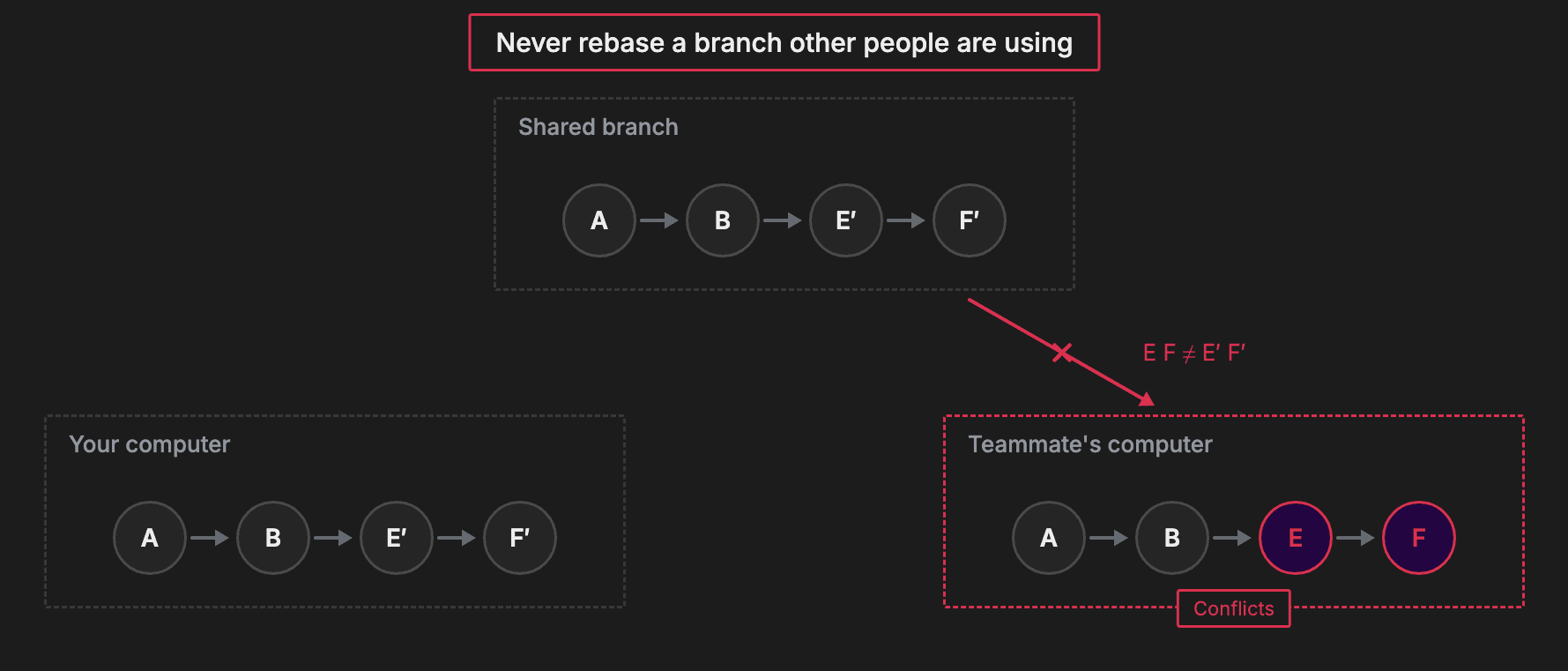
Recap
| Git Merge | Git Rebase | |
|---|---|---|
| Commits | Preserves original commits | Rewrites with new commit IDs |
| History shape | Keeps branch structure | Creates one straight line |
| Best used for | Shared branches | Local feature branches |
About TechPrep
Never walk into a technical interview unprepared again. TechPrep empowers software engineers to stop guessing and start getting offers. We provide the exact questions asked by tech companies across Data Structures & Algorithms, System Design, Low-Level Design & AI coding rounds. Don't leave your career up to chance. Join thousands of engineers who have successfully navigated the tech hiring maze and landed roles at top tech companies.